
Redeem a license key
Backed World Note on Tumblbug? If you have not received your license key yet, you can look it up with your name and pledge number on Get your license key. The license key activates saving. Activation happens once, online, and binds the license to your device. After that, the app verifies the license offline every time you open it, so no internet is needed.
On Mac, a license key needs the direct download. Under Apple’s policy the Mac App Store build has no key field and activates by in-app purchase only, so use the direct download for backers instead. It accepts your key exactly as before. On Windows, the Microsoft Store build takes the key directly.
How to redeem
Section titled “How to redeem”-
Download and install World Note. On Mac, choose Direct download (.dmg). On Windows, use the Microsoft Store build.
-
Open World Note and go to the License tab in Settings.
-
Enter your license key (it looks like
WN-XXXX-XXXX-XXXX-XXXX) and click Activate. -
When “License registered. Thank you.” appears, the key has been redeemed correctly.
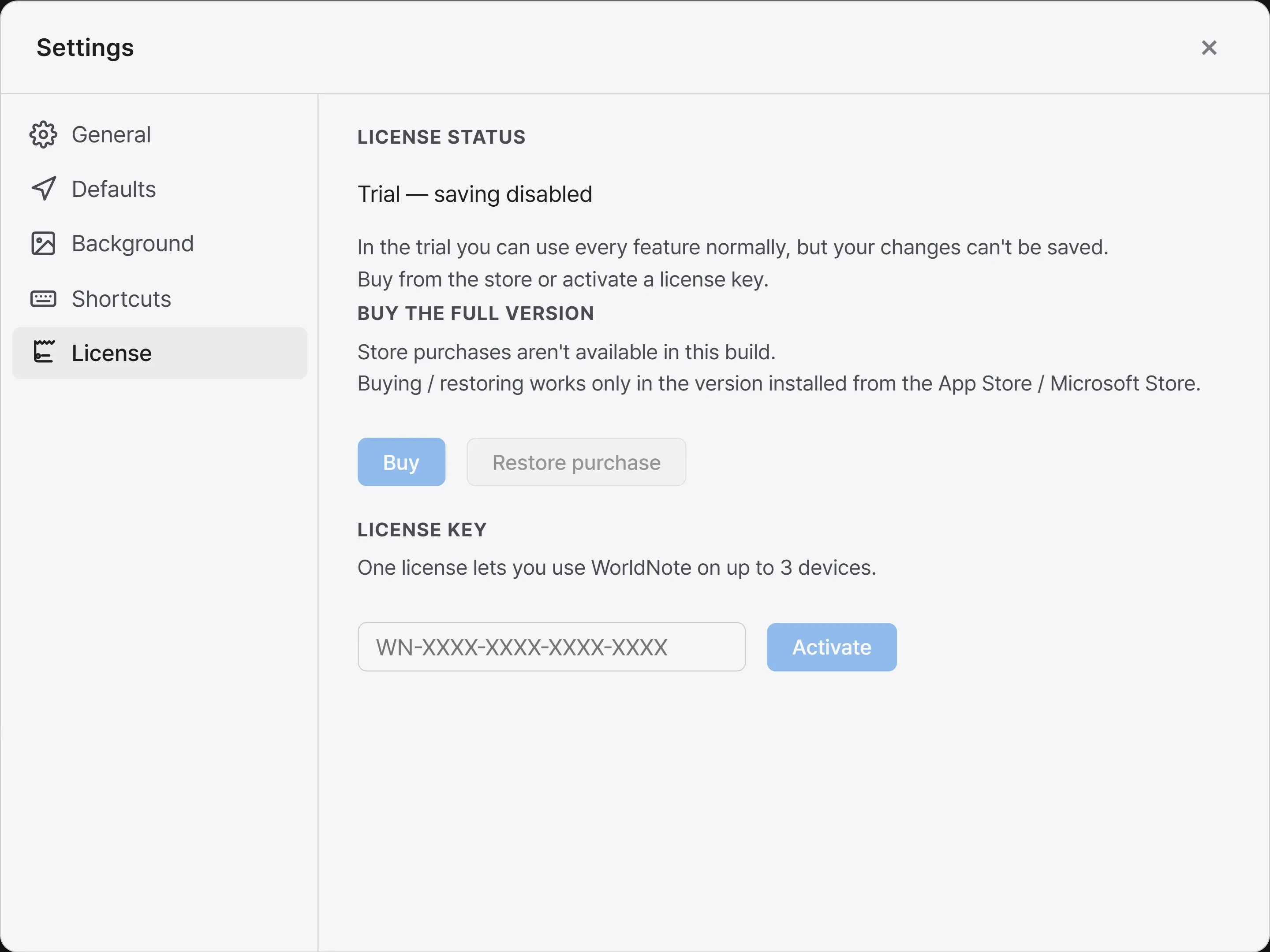
Using it on more than one device
Section titled “Using it on more than one device”One license key can be used on up to 3 devices. In the License tab in Settings, you can see your activated devices and deactivate one to free up a slot for another.
When you activate, the app sends the license key plus a random per-install device identifier and your device name to the activation service, so the license can be bound to your devices. Only that identifier, device name, and activation times are stored; no account or content-related information is kept. See the privacy policy for details.
Troubleshooting
Section titled “Troubleshooting”| Symptom | Fix |
|---|---|
| It says the key isn’t valid or no longer active | Double-check the key. Letters and digits aren’t case-sensitive. |
| It says the key format is wrong | Make sure you pasted the whole key, including the WN- prefix and all four groups. |
| Out of device slots | Deactivate a device you no longer use. |
| Activation fails | Activation needs an internet connection. Check your connection and try again. |
If the problem persists, contact [email protected].